We've added built in translations for the most popular languages used in our store locator. Now, adding your store locator to a new region is practically instant.
These are the translations we added at the launch of this feature today with more to come:
- Dutch
- English (Default)
- French
- German
- Italian
- Spanish
To add a new language translation of your store, click on the Text Labels menu option in the admin console. Give your language a name, for the sake of this example we'll call it 'French'. Once you've configured the language, you can choose a translation and then click on 'Save Languages' at the bottom to automatically add that translation.

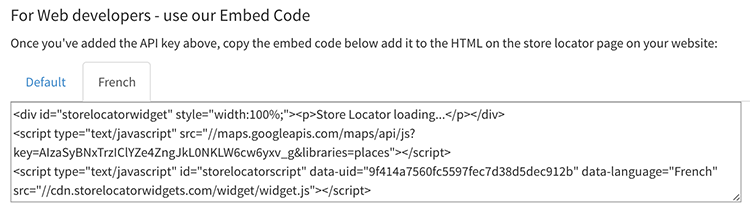
Now that you've created a new language, you'll see an extra tab under the HTML Embed Code section on the Add to your Website page for the French language version of the locator:
ps - if you'd like us to add another language translation, get in touch with us!