
A Store Locator Widget for Any Website
Add a fully customisable store locator widget to your website in minutes. Help customers find nearby stores, dealers, stockists and service locations with search, filters, maps, directions and location details — without building or maintaining your own locator.
No developer required. Add the widget with two script tags, a WordPress plugin, or a platform-specific integration.
No credit card required · Live on your site in minutes
What a store locator widget does
A store locator widget is the embeddable search box, map and results list your visitors use to find your nearest store, dealer or stockist. You manage your locations, styling and filters in one dashboard — the widget on your site simply reads that data and updates the moment you change it.
Ours ships as a single lightweight embed, not an iFrame, so the search box, addresses and location details are real HTML your visitors and search engines can both read.
What it looks like on your site
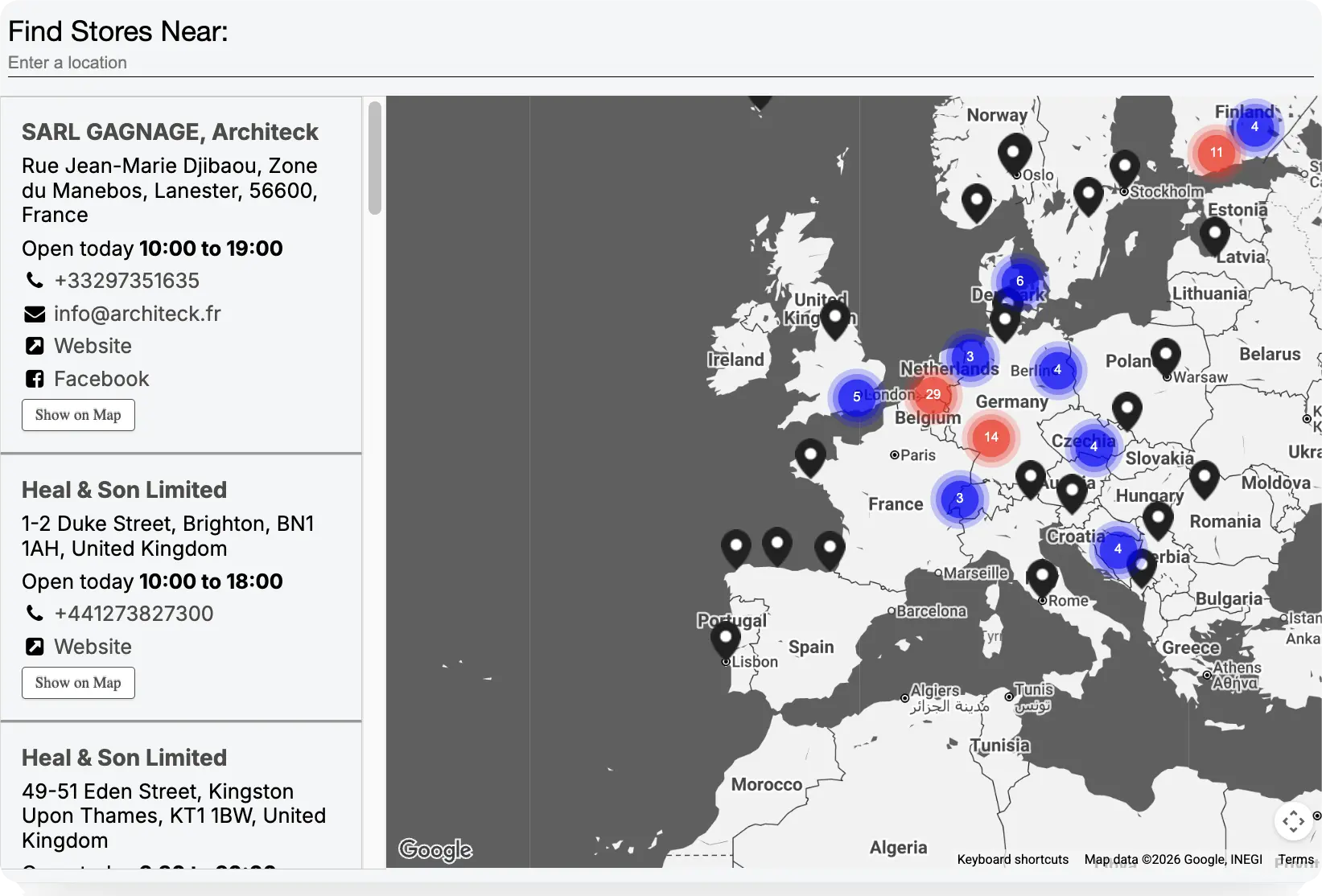
Four layouts cover the ways people build a find-a-store page — a full-screen map, a list beside the map, a mapless grid, or a list underneath. Switch between them any time from the style editor.
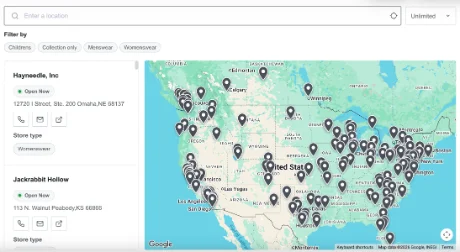 List beside map
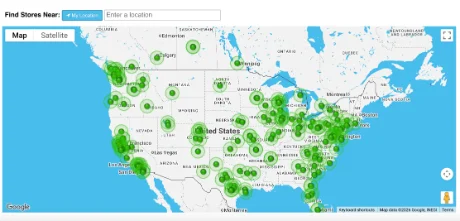 Full-screen map
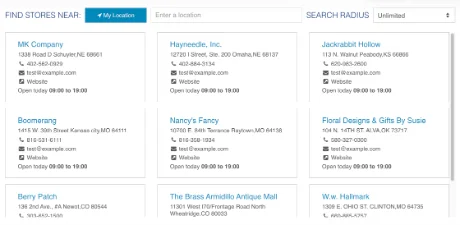 Mapless grid
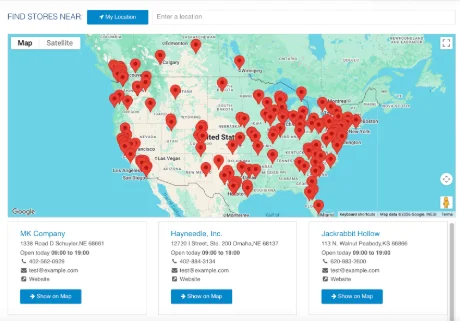 List under map
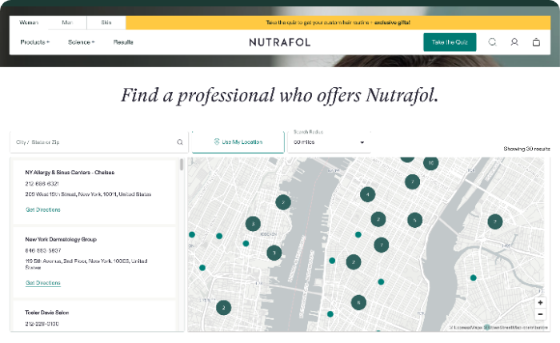
And what it looks like in the wild
Four live store locator widgets, each styled to a different brand — same widget underneath.


How you install it
Three routes, depending on how much control you want: HTML installation code, our WordPress plugin, or a platform-specific embed. All three take minutes and none of them need a developer.
One div and two script tags, paste anywhere: a WordPress code block, a Shopify Liquid section, a Squarespace code injection, or a hand-built page. Supports Google Maps, Mapbox and OpenStreetMap. See the HTML installation guide.
No code at all — install the plugin, connect your account and place the widget with a shortcode or block. Read the WordPress plugin guide.
Dedicated setup steps for Shopify, Squarespace and Elementor — same widget, tailored to each builder.
<div id="storelocatorwidget" style="width:100%;"></div>
<script type="text/javascript" id="mapboxscript" src="//cdn.storelocatorwidgets.com/widget/mapbox-gl.js"></script>
<script type="text/javascript" id="storelocatorscript" data-uid="CUSTOMER_UID" data-platform="MapTiler" src="//cdn.storelocatorwidgets.com/widget/widget.js"></script>Which platforms you can install it on
If a page lets you add HTML to the web page, our store locator widget will run on it. We've tested it on all the platforms below and more...















What it can do for your customers
Everything a visitor needs to get from "where's my nearest?" to standing in your store — and everything you need to keep it accurate.
How it compares with the alternatives
The usual alternative is building your own. A store locator looks simple until you cost it out: a mapping integration, a geocoding pipeline, an admin interface and permanent upkeep — all of which ship with the widget on day one.
| Store Locator Widgets | Build from scratch | |
|---|---|---|
| Initial setup | Minutes | Weeks or months |
| Location management | Included dashboard | Build yourself |
| Maps | Included — Google, Mapbox or OSM | Integrate yourself |
| Mapping costs | Included in your plan | Your own billing account |
| Geocoding | Automatic | Build and manage |
| Search by postcode or address | Included | Build |
| Geolocation | Included | Build |
| Filters and categories | Included | Build |
| Analytics | Included | Build |
| Responsive UI | Included | Build |
| Bulk import and Sheets sync | Included | Build |
| SEO-indexable markup | By default — no iFrame | Depends on your build |
| Accessibility | Handled for you | Your responsibility |
| Hosting and scaling | Managed | Your responsibility |
| Maintenance | Managed | Your responsibility |
| Map provider changes | Managed | Your responsibility |
| Security updates | Managed | Your responsibility |
| Support | Included | Internal team time |
Why our widget implementation is better
Most store locator tools embed with an iFrame. Ours renders directly in your page's HTML — and that one difference fixes three problems iFrame-based locators quietly live with.
An iFrame loads a separate document, so search engines treat that content as belonging to its source URL, not your page — Google's own guidance is to include content directly if you want it indexed under your page.
With no iFrame, your location names, addresses and hours are ordinary HTML on your page, crawlable and indexable as your content, with nothing lost to a duplicate-content or attribution gap.
Browsers block a cross-origin iFrame from requesting the visitor's location unless the parent page explicitly delegates permission with an allow attribute — something most page builders never set.
That's why "use my location" quietly fails inside a lot of iFrame-based locators. Ours runs in the page itself, so the browser prompt behaves exactly like any other on-page feature.
iFrames bring their own outbound-link, cookie and sizing quirks — "get directions" links can open trapped inside the frame instead of a new tab, third-party storage gets blocked by browser privacy rules, and fixed iFrame heights clip content on resize.
These show up most on locked-down builders like GoDaddy and Wix, where you can't control the surrounding iFrame wrapper. A direct HTML embed sidesteps all of it.
Questions about the store locator widget
A store locator widget is the embeddable search box, map and results list your visitors use to find your nearest store, dealer or stockist. You manage your locations, styling and filters in one dashboard, and the widget on your site reads that data and updates the moment you change it.
Paste one div and two script tags into any page. There is no iFrame and no plugin required for a plain HTML install — the widget renders directly in your page. On WordPress you can also use our plugin instead and add it with no code at all.
A visitor enters a postcode, town or address, or taps "use my location". The widget geocodes that input, sorts your locations by distance and returns the nearest matches as a ranked list beside a map, complete with contact details, opening hours and a directions link.
Yes. Add the embed code to a Shopify page or theme section — no app install required. We have step-by-step setup instructions for Shopify.
Yes, in two ways. Our WordPress plugin installs it with no code via a shortcode or block. The HTML installation code also works on WordPress if you want more configuration options and control of the locator's appearance and settings.
Yes. A visual style editor controls colors, fonts, buttons, map style and marker icons with no CSS required, across four layouts covering full-screen maps, list-beside-map, mapless grids and list-under-map designs.
Yes. Visitors can search by postcode, ZIP code, town, city or full address, and results are ranked by distance in miles or kilometres — whichever suits your market.
Yes. One tap on "use my location" finds the nearest store instantly. Because our widget is not wrapped in an iFrame, the browser's geolocation permission works reliably — a common failure point for iFrame-based locators.
Yes. Add checkbox or dropdown filters for anything you track — products carried, brands stocked, services offered, or "open now" — and group them however makes sense for your visitors.
Yes. Publish per-day opening hours with holiday overrides, show whether a location is open right now, and let visitors filter to only the locations currently open.
Yes. Locations can be given their own indexable URLs so each store has a dedicated landing page — useful for local SEO, where people search for your brand alongside a town or city name.
It can. Because our widget is not an iFrame, your location names, addresses and opening hours are real HTML in your page that search engines can crawl and index as your content. Iframe-based locators load a separate document, so that content is attributed to its source URL rather than your page.
Yes. The map, search bar and results list rearrange automatically for phones and tablets — there is no separate mobile setup to configure or maintain.
No. The widget loads asynchronously and does not block page rendering, so your page paints normally while the locator initialises.
Yes. Bulk-import from an Excel or CSV file, or sync live from a Google Sheet or Airtable base so your locator always follows your source of truth.
Yes. A full REST API lets you create, update and search locations programmatically, plus a JavaScript API for controlling widget behaviour in the page.
Ready to add a store locator to your website?
Fully featured 14-day trial. No credit card. No developer required.